Ball Machine Does Not Dispense Balls
There may be several reasons why the ball machine does not dispense balls after payment.
The first thing you need to check is whether the machine has balls, of course. You can check this by checking, of course, but also by listening if rumbling noises sounds after payment or not. If they do, then the motor is running and there are just no balls. If it doesn't rumble, then continue with this guide.
The problem can now be caused by two things :
- The ball machine is not working for some reason.
- The GolfNext relay is not sending a signal correctly to the ball machine
To clarify which of these two reasons is the case, make a purchase as normal on the machine. Either with a card, code or app.
While you're paying, check that the relay inside the door is clicking and flashing. It's this one:
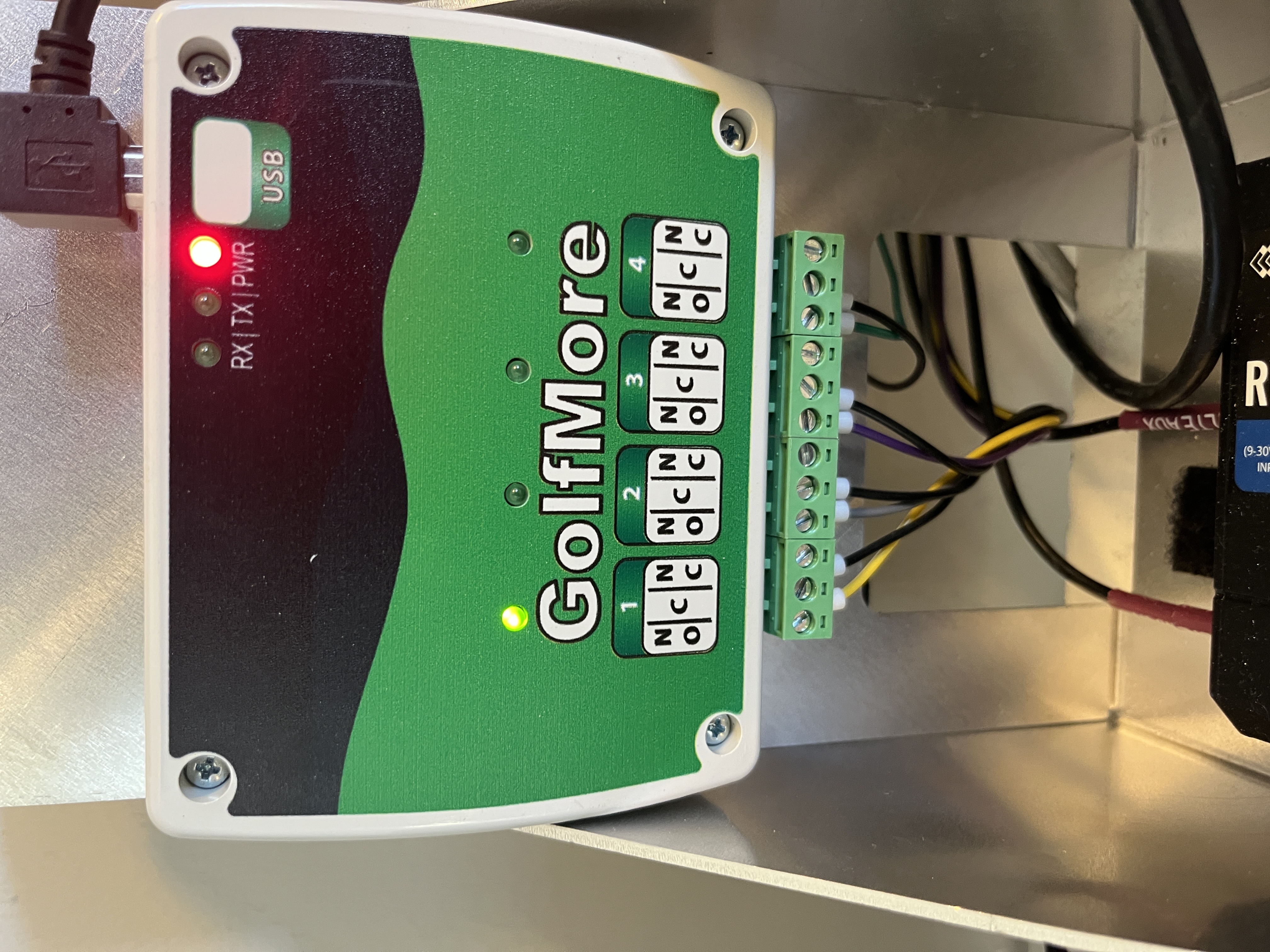
IF the relay clicks and flashes, then the GolfNext machine is doing everything correctly. Then it is the ball machine that is at fault - or perhaps the connection between the relay and the machine. Check that the wires at the relay are not loose or damaged. If everything looks ok, then the problem is not with GolfNext. Therefore, make sure that you have connected the GolfNext machine correctly to your ball machine, or that the machine is working at all.
IF the relay does NOT click and flash , then the problem lies here. To solve the problem, just do the following:
- Unplug the USB cable from the top of the relay.
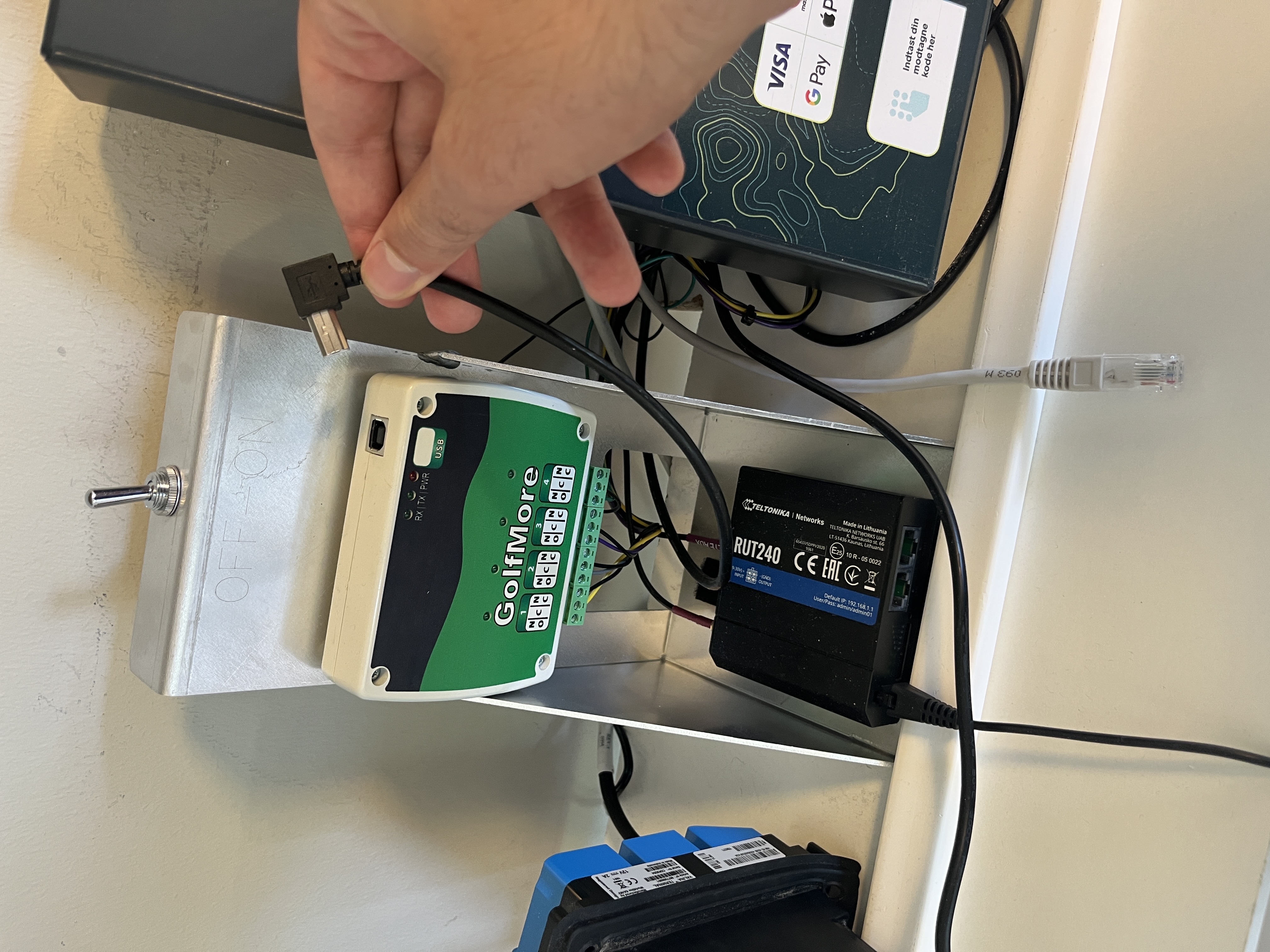
2. Unplug the USB cable from the back of the payment device
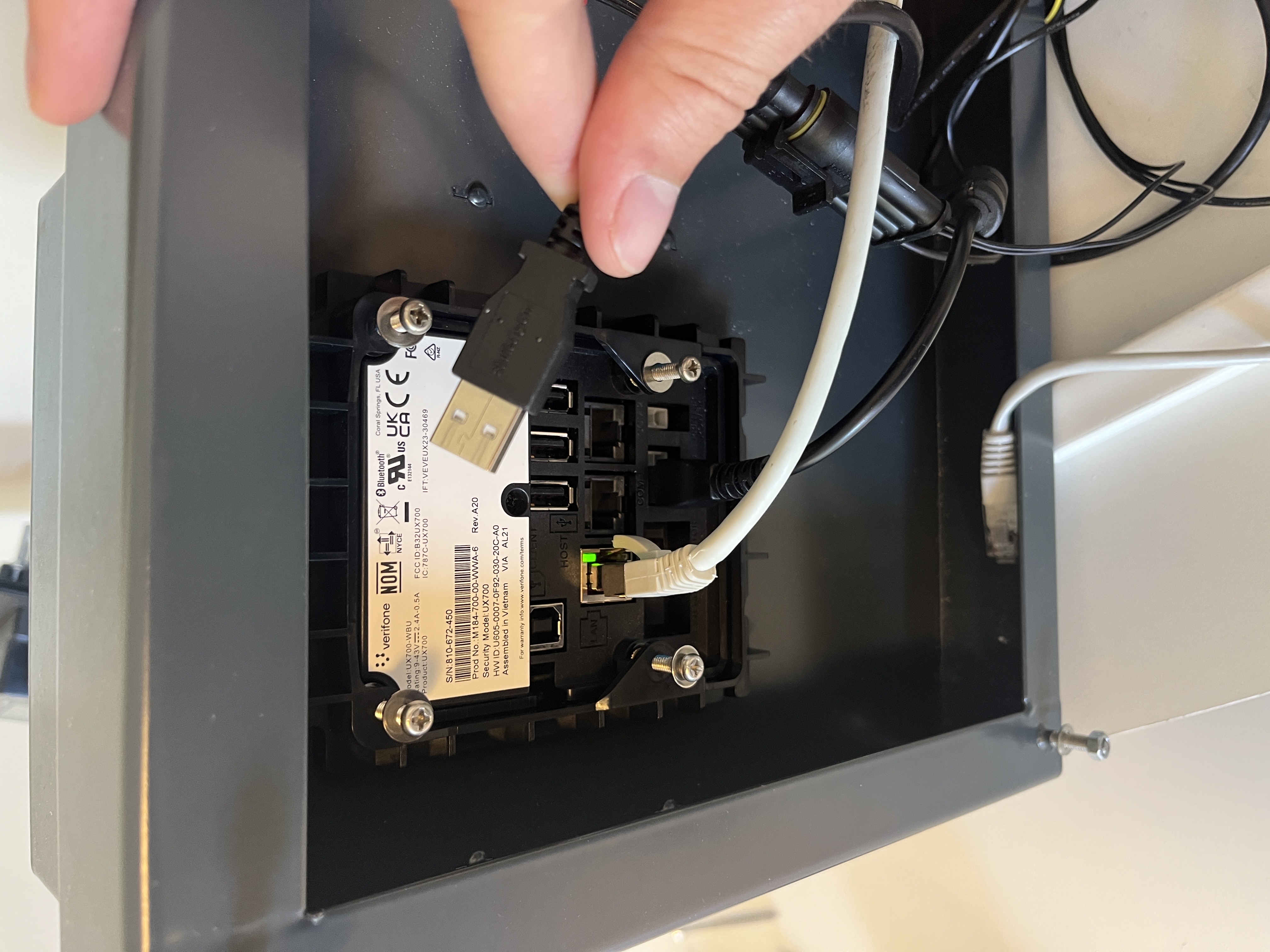
3. Now also remove the power plug from the payment device. There is a pin on the underside of the plug that must be pressed in - just like with a LAN cable.
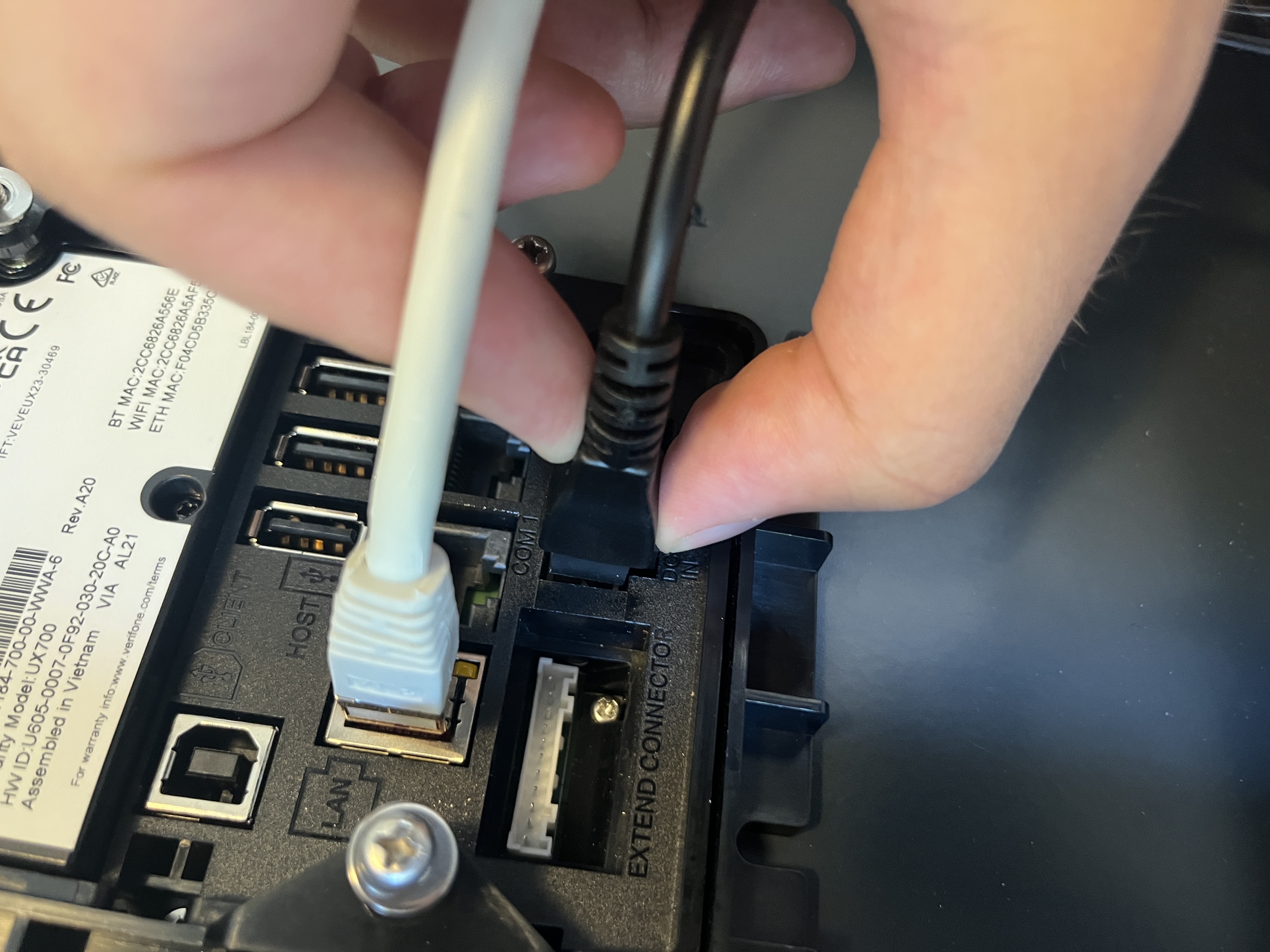
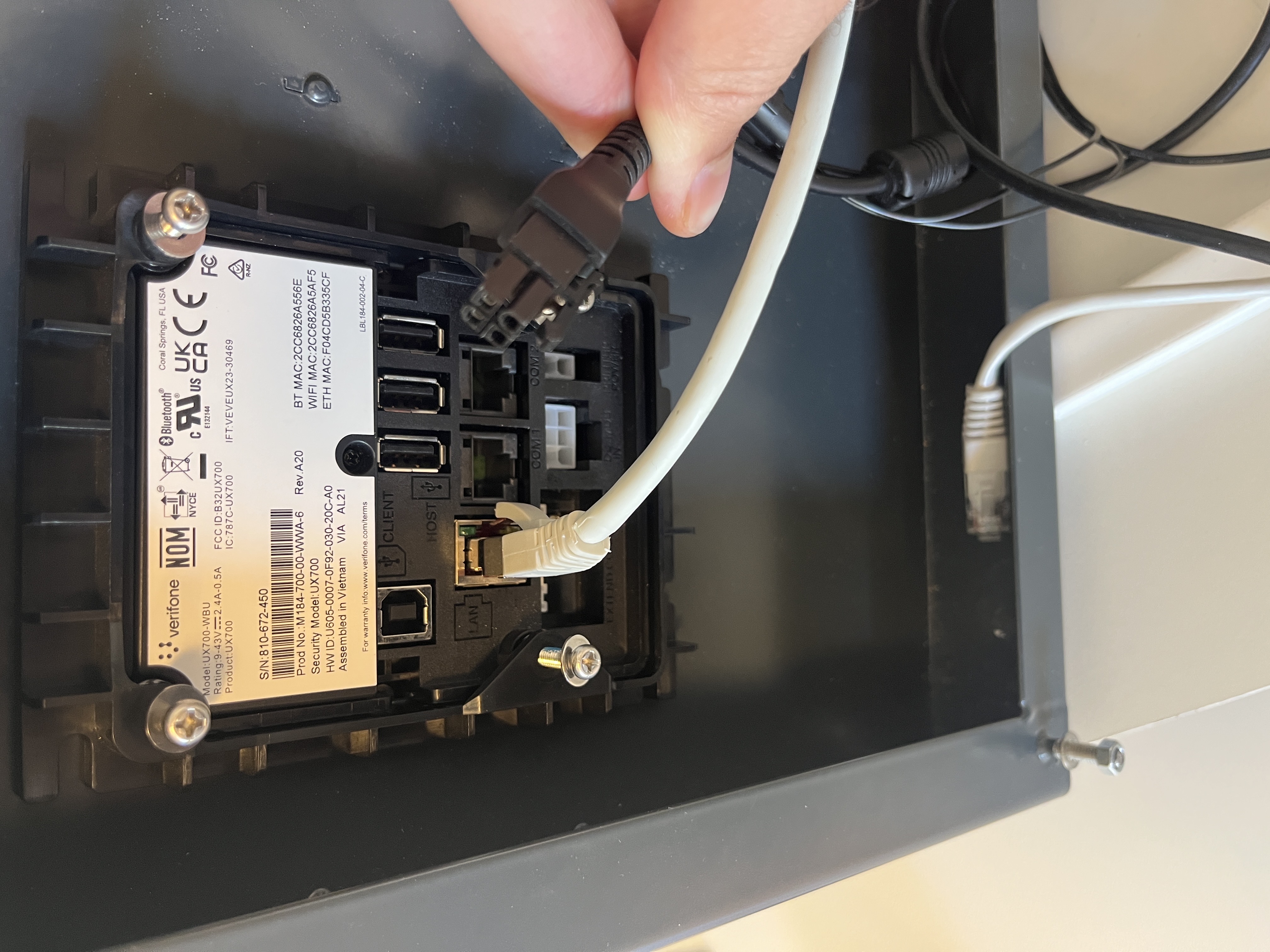
4. Now the payment device is turned off. Now ONLY plug the power plug back into the payment device. Now wait until the device is back at the home screen for payment (or until it asks for a USB device)
5. Now plug the USB back into the relay and then into the back of the device. The problem should now be solved!